Create and configure an internal e-mail system for intra-site communication and alerts.
E-mail container#
Use certstrap to create a certificate, common name should be mail, move it to files/CA inside the Ansible directory before we begin creating the role.
There are quite a few different options to deploy a mostly ready e-mail service like mailcow or emailwiz, but I chose to go with docker-mailserver for this project because:
- Nearly all of its configuration can be done through environment variables.
- Consolidates very many services under one unique container but gives you the option to use them or not.
- Excellent support for authenticating through LDAP.
- Stores e-mail files in the filesystem instead of a SQL database.
Let’s create a new Ansible role called mail and its tasks file inside:
$ mkdir -p roles/mail/tasks && touch roles/mail/tasks/main.ymlPopulate main.yml to look like this:
$ cat roles/mail/tasks/main.yml
---
- name: Set /srv/mail permissions
  file:
    dest: "/srv/mail"
    owner: "root"
    group: "root"
    mode: "0755"
    state: "directory"

- name: Mail server container
  docker_container:
    name: "mailserver"
    restart_policy: "always"
    image: "mailserver/docker-mailserver:latest"
    hostname: "{{ ansible_hostname }}.pygrn.lab"
    published_ports:
      - "25:25"
      - "143:143"
      - "587:587"
      - "993:993"
    env:
      ENABLE_SPAMASSASSIN: "0"
      ENABLE_CLAMAV: "0"
      ENABLE_FAIL2BAN: "0"
      ENABLE_AMAVIS: "0"
      ENABLE_POSTGREY: "0"

      ENABLE_LDAP: "1"
      LDAP_START_TLS: "yes"
      LDAP_SERVER_HOST: "ldap://{{ ldap_host1 }} ldap://{{ ldap_host2 }}"
      LDAP_BIND_DN: "cn=admin,dc=pygrn,dc=lab"
      LDAP_BIND_PW: "{{ ldap_admin_pass }}"
      LDAP_SEARCH_BASE: "dc=pygrn,dc=lab"
      LDAP_QUERY_FILTER_DOMAIN: "(mail=*@%s)"
      LDAP_QUERY_FILTER_USER: "(mail=%s)"
      LDAP_QUERY_FILTER_ALIAS: "(|)"
      LDAP_QUERY_FILTER_GROUP: "(|)"
      LDAP_QUERY_FILTER_SENDERS: "(|(mail=%s)(mail=admin@*))"
      SPOOF_PROTECTION: "1"

      DOVECOT_TLS: "yes"
      DOVECOT_PASS_ATTRS: "uid=user,userPassword=password"
      DOVECOT_PASS_FILTER: "(uid=%n)"
      DOVECOT_USER_FILTER: "(uid=%n)"
      DOVECOT_USER_ATTRS: "=home=/var/mail/pygrn.lab/%{ldap:uid},=mail=maildir:~/Maildir,mailUidNumber=uid,mailGidNumber=gid"

      ENABLE_SASLAUTHD: "1"
      SASLAUTHD_LDAP_START_TLS: "yes"
      SASLAUTHD_MECHANISMS: "ldap"
      SASLAUTHD_LDAP_FILTER: "(mail=%U@pygrn.lab)"
      SASLAUTHD_LDAP_TLS_CACERT_FILE: "/tmp/certs/pygrn.lab-CA.crt"

      ONE_DIR: "1"
      DMS_DEBUG: "0"
      PERMIT_DOCKER: "host"
      SSL_TYPE: "manual"
      SSL_CERT_PATH: "/tmp/certs/mail.crt"
      SSL_KEY_PATH: "/tmp/certs/mail.key"
    volumes:
      - "/etc/timezone:/etc/timezone:ro"
      - "/etc/localtime:/etc/localtime:ro"
      - "/srv/mail/mail-conf:/tmp/docker-mailserver"
      - "/srv/mail/mail-data:/var/mail"
      - "/srv/mail/mail-state:/var/mail-state"
      - "/srv/mail/mail-logs:/var/logs/mail"
      - "/srv/mail/certs:/tmp/certs"
  register: "mailcontainerf"

- name: Copy mail public key into /srv/mail/cert/
  copy:
    src: "CA/mail.crt"
    dest: "/srv/mail/certs/"
    owner: "root"
    group: "root"
    mode: "0644"
  register: "mailpubf"

- name: Copy mail private key into /srv/mail/certs/
  copy:
    src: "CA/mail.key"
    dest: "/srv/mail/certs/"
    owner: "root"
    group: "root"
    mode: "0600"
  register: "mailprivf"

- name: Copy CA file into /srv/mail/certs/
  copy:
    src: "CA/pygrn.lab-CA.crt"
    dest: "/srv/mail/certs/"
    owner: "root"
    group: "root"
    mode: "0644"
  register: "pygrncaf"

- name: Copy pygrn.lab-CA.crt to mailserver container
  when: "mailcontainerf.changed"
  command:
    cmd: "docker cp /etc/ssl/pygrn.lab/pygrn.lab-CA.crt mailserver:/usr/local/share/ca-certificates/"

- name: Update mailserver container ca-certificates
  when: "mailcontainerf.changed"
  command:
    cmd: "docker exec mailserver sh -c 'update-ca-certificates'"

- name: Restart mailserver container if cert files are added/changed
  when: "pygrncaf.changed or mailpubf.changed or mailprivf.changed"
  command:
    cmd: "docker restart mailserver"
As you can see we have disabled SpamAssassin, ClamAV, Fail2ban, Amavis and Postgrey by issuing a “0” to their environment variables. We enabled LDAP authentication through TLS and defined all the necessary parameters to bind to our LDAP server pair; this is done to Postfix, Dovecot and SASL auth mechanism. The tasks after defining the container copy certificate files into the directories they need to be and reload/restart the container if or when those files are added or changed.
This e-mail server will let you log into any of the accounts defined in our LDAP server as well as send and receive e-mails, but only inside this network. I do not own the pygrn.lab domain, it probably doesn’t even exist but it works for us in this configuration because of the way DNS is being handled for these machines.
Instead of setting up a fully functioning e-mail server I could just use Postfix to define an SMTP relay to another e-mail server anywhere on the Internet, in fact, the guidelines I’m loosely following to create this environment specify just this, an SMTP relay to gmail. But I thought I’d take the fuller approach because I intend to keep this e-mail server restricted to this internal network only; I had never configured LDAP authentication for e-mail accounts before; and because fuck Google and all its data-hungry, privacy-violating services.
E-mail web client#
Now that the server part is configured, let’s also deploy a web client to be able to access it. I personally always check my e-mail from the terminal using Neomutt, but that’s a user’s choice.
We will use a dockerized implemetation of Roundcube.
Append the following lines the end of roles/mail/tasks/main.yml:
Lines to append to roles/mail/tasks/main.yml
- name: Roundcube container
  when: "ansible_hostname == mail_webui_host_short"
  docker_container:
    name: "roundcube"
    restart_policy: "always"
    image: "roundcube/roundcubemail:latest"
    log_driver: "syslog"
    log_options:
      syslog-address: "tcp+tls://{{ syslog_ng_host }}:6514"
      tag: "roundcube"
    published_ports:
      - "8000:80"
    env:
        ROUNDCUBEMAIL_DEFAULT_HOST: "tls://{{ mail_host }}"
        ROUNDCUBEMAIL_SMTP_SERVER: "tls://{{ mail_host }}"
    volumes:
      - "/etc/timezone:/etc/timezone:ro"
      - "/etc/localtime:/etc/localtime:ro"
  register: "roundcubef"

- name: Copy pygrn.lab-CA.crt to Roundcube container
  when: "ansible_hostname == mail_webui_host_short and roundcubef.changed"
  command:
    cmd: "docker cp /etc/ssl/pygrn.lab/pygrn.lab-CA.crt roundcube:/usr/local/share/ca-certificates/"

- name: Update Roundcube container ca-certificates
  when: "ansible_hostname == mail_webui_host_short and roundcubef.changed"
  command:
    cmd: "docker exec roundcube sh -c 'update-ca-certificates'"
This will setup Roundcube pointing at our e-mail server, you can create an ssh tunnel to access it from the browser (refer to previous chapters to do this) after we run the playbook and the containers are deployed.
sendEmail, a command line utility#
We’ll also install sendEmail, a command line utility to authenticate to an SMTP server and send e-mails all with one command. This will be useful to perform tests in future chapters when we start setting up e-mail notifications from our monitoring and backup services. But it would also be useful if our users want to send e-mails to each other and only have a terminal available, through ssh for example.
Create a role called mail-client and its task file just like for the server. Here’s the content of the file:
$ cat roles/mail-client/tasks/main.yml
---
- name: Install sendEmail and dependencies
  apt:
    name: "{{ item }}"
    state: latest
    update_cache: yes
  with_items:
      - "libio-socket-ssl-perl"
      - "libnet-ssleay-perl"
      - "sendemail"
Running the playbook and testing results#
Let’s have a quick look at the playbook.yml, hosts and group_vars/all.yml files before we run the playbook:
$ cat playbook.yml
---
- name: "Preparation"
  hosts: all
  roles:
    - "global_preparation"

- name: "Syslog-ng Server"
  hosts: log
  gather_facts: "no"
  roles:
    - "syslog-ng"

- name: "OpenLDAP Server"
  hosts: ldap
  gather_facts: "no"
  roles:
    - "openldap"

- name: "OpenLDAP Clients"
  hosts: all
  gather_facts: "no"
  roles:
    - "openldap-client"

- name: "E-mail Server"
  hosts: email
  gather_facts: "no"
  roles:
    - "mail"
$ cat hosts
[log]
rumsi   ansible_host=192.168.122.8   ansible_ssh_user=root   ansible_ssh_private_key_file=/path/to/ssh/key

[ldap]
doris   ansible_host=192.168.122.2   ansible_ssh_user=root   ansible_ssh_private_key_file=/path/to/ssh/key
cutxn   ansible_host=192.168.122.3   ansible_ssh_user=root   ansible_ssh_private_key_file=/path/to/ssh/key
cutxo   ansible_host=192.168.122.4   ansible_ssh_user=root   ansible_ssh_private_key_file=/path/to/ssh/key

[mail]
doris   ansible_host=192.168.122.2   ansible_ssh_user=root   ansible_ssh_private_key_file=/path/to/ssh/key
watts   ansible_host=192.168.122.9   ansible_ssh_user=root   ansible_ssh_private_key_file=/path/to/ssh/key

[undefined]
boldh   ansible_host=192.168.122.5   ansible_ssh_user=root   ansible_ssh_private_key_file=/path/to/ssh/key
grees   ansible_host=192.168.122.6   ansible_ssh_user=root   ansible_ssh_private_key_file=/path/to/ssh/key
tyule   ansible_host=192.168.122.7   ansible_ssh_user=root   ansible_ssh_private_key_file=/path/to/ssh/key
rumsi   ansible_host=192.168.122.8   ansible_ssh_user=root   ansible_ssh_private_key_file=/path/to/ssh/key
$ cat group_vars/all.yml
# logs
syslog_ng_host: "rumsi.pygrn.lab"
syslog_ng_host_short: "rumsi"

# mail
mail_host: "watts.pygrn.lab"
mail_host_short: "watts"
mail_webui_host: "doris.pygrn.lab"
mail_webui_host_short: "doris"

# openldap
ldap_host1: "cutxn.pygrn.lab"
ldap_host1_short: "cutxn"
ldap_host2: "cutxo.pygrn.lab"
ldap_host2_short: "cutxo"
ldap_webui_host: "doris.pygrn.lab"
ldap_webui_host_short: "doris"

ldap_tw1zr_mail: "tw1zr@pygrn.lab"
ldap_guest1_mail: "guest2@pygrn.lab"
ldap_guest2_mail: "guest2@pygrn.lab"

ldap_tw1zr_pass: "fu9F4yzKH3"
ldap_guest1_pass: "Ln9CQMsDZA"
ldap_guest2_pass: "bKwDKP6z57"

ldap_admin_pass: "2hJmj7TFrz"
ldap_config_pass: "bTu5njqLLd"
ldap_readonly_pass: "Drq8nNEG6C"
If everything looks good on those three files run the playbook and give it a couple minutes to finish deploying our new containers:
$ ansible-playbook playbook.ymlAssuming everything went well, let’s test our new e-mail service.
Landing screen from the browser:
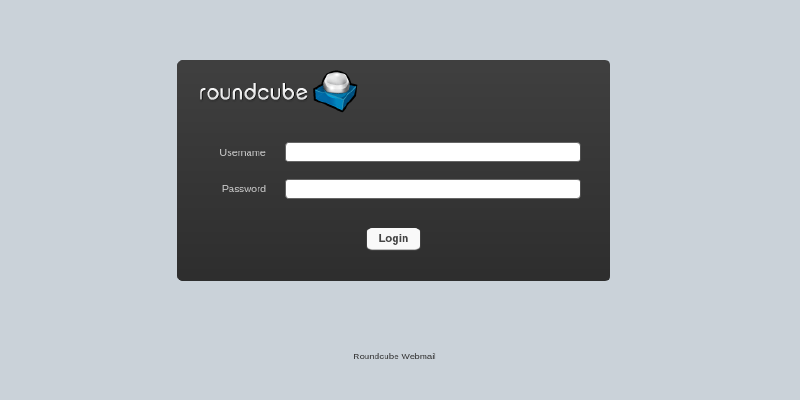
Let’s login as any of the users in our LDAP server and send an e-mail to any other user to test if everything is working correctly.
In the following picture I’ve logged in as tw1zr and I’m sending an e-mail to guest1:
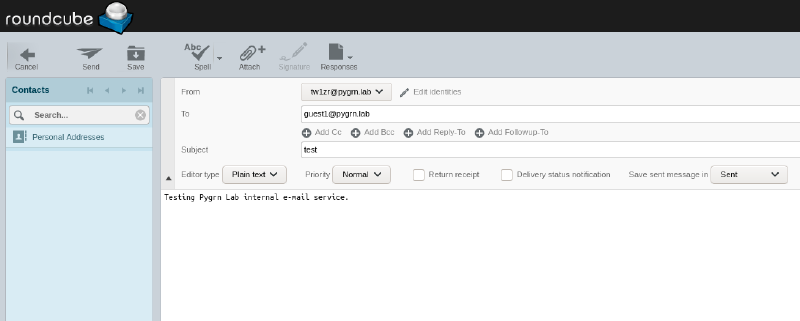
Now in this picture I logged in as guest1 and we can see the e-mail is received, perfect.
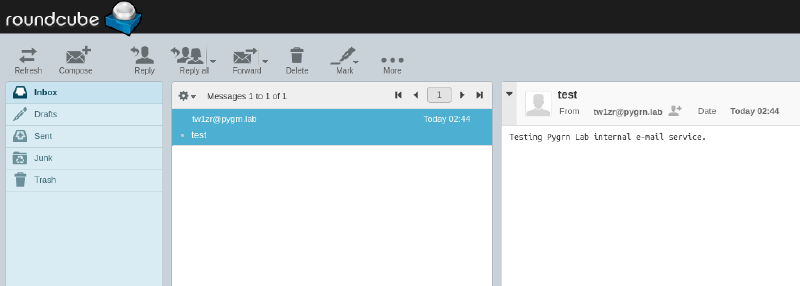
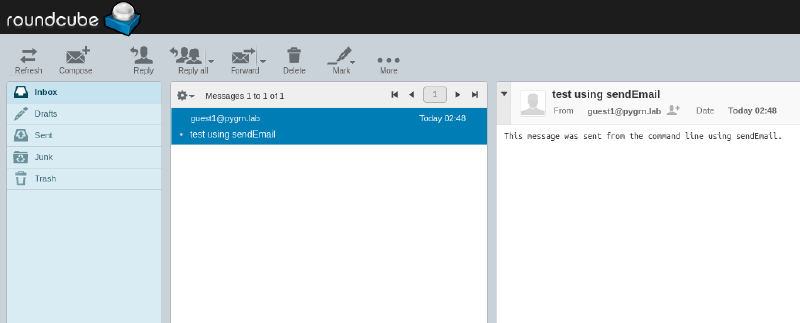
Now I’ll use sendEmail to send an e-mail from the command line. Let’s authenticate as guest1 and send something to tw1zr, ssh into any of the virtual machines and issue the following command:
$ sendEmail -o tls=yes -xu guest1@pygrn.lab -xp Ln9CQMsDZA -f guest1@pygrn.lab -t tw1zr@pygrn.lab -s watts.pygrn.lab:587 -u "test using sendEmail" -m "This message was sent from the command line using sendEmail."Login as tw1zr again, and we can see the e-mail was succesfully sent and received: