
Configure Docker containers to send their logs to a centralised location for analysis and long term storage.
New VMs#
We’re going to be picking up the pace a bit from now on. Up until now we’ve been working on three different virtual machines, but as we deploy the upcoming services we’ll be doing so in many different ones; so we’ll deploy them now to have them ready.
Refer to previous chapters if unsure of the exact process to do this with Terraform.
Don’t forget to update the KVM network settings on the hypervisor to give these new boxes an IP address through DHCP.
Here’s an updated topology diagram:
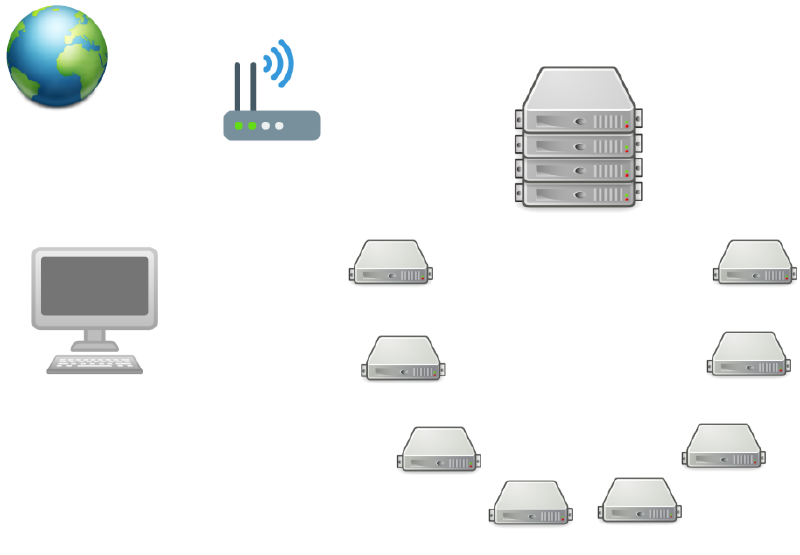
The new boxes are VM-4 onwards. Their names are largely irrelevant, I made these up randomly. But we have to keep them consistent with different configurations in many places, so if you’re followig along and decide to use different names you will need to replace them in many places accross the config files.
Syslog-ng container#
In order to troubleshoot any problems in any server environment keeping track of the logs is extremely important; reading the logs is almost always the way to discover what went wrong and how to fix it.
The most common way to centralise logs is with the Elastic Stack (which is comprised of Elasticsearch, Logstash and Kibana). I won’t be deploying that today, I will instead use a much simpler and traditional syslog server. (It’s entirely possible that I’ll change my mind and deploy the ELK stack in the near future.)
We’re going to deploy a container running a Syslog-ng server listening on a specific port, then reconfigure every container we have deployed previously (and every future one) to use a different log driver than the default Docker one, the syslog logging driver will send every container’s log to this server. This will allow us to have one place where we can go look at all the logs for every container in every virtual machine.
Before starting with the Ansible configuration to deploy this container use certstrap to create a certificate which we’ll use to encrypt the log packets being sent from every virtual machine to rumsi, which is the box I chose to host this container (refer to previous chapters for guidance on how to create the certificate).
The container image we’ll use is balabit/syslog-ng
Create a new role called syslog-ng and its tasks file, its content will be as follows:
$ cat roles/syslog-ng/tasks/main.yml
---
- name: Set /srv/syslog-ng permissions
  file:
    dest: "/srv/syslog-ng"
    owner: "root"
    group: "root"
    mode: "0755"
    state: "directory"

- name: Copy syslog-ng.conf into /srv/syslog-ng/
  copy:
    src: "files/syslog-ng/syslog-ng.conf"
    dest: "/srv/syslog-ng/"
    owner: "root"
    group: "root"
    mode: "0644"

- name: Syslog-ng container
  docker_container:
    name: "syslog-ng"
    restart_policy: "always"
    image: "balabit/syslog-ng:latest"
    hostname: "{{ ansible_hostname }}.pygrn.lab"
    published_ports:
      - "6514:6514"
    volumes:
      - "/etc/timezone:/etc/timezone:ro"
      - "/etc/localtime:/etc/localtime:ro"
      - "/srv/syslog-ng/syslog-ng.conf:/etc/syslog-ng/syslog-ng.conf"
      - "/srv/syslog-ng/log-data:/var/log/syslog-ng"
      - "/srv/syslog-ng/certs:/tmp/certs"
  register: "syslogcontainerf"

- name: Copy syslog-ng public key into /srv/syslog-ng/cert/
  copy:
    src: "CA/syslog-ng.crt"
    dest: "/srv/syslog-ng/certs/"
    owner: "root"
    group: "root"
    mode: "0644"
  register: "logpubf"

- name: Copy syslog-ng private key into /srv/syslog-ng/certs/
  copy:
    src: "CA/syslog-ng.key"
    dest: "/srv/syslog-ng/certs/"
    owner: "root"
    group: "root"
    mode: "0600"
  register: "logprivf"

- name: Copy CA file into /srv/syslog-ng/certs/
  copy:
    src: "CA/pygrn.lab-CA.crt"
    dest: "/srv/syslog-ng/certs/"
    owner: "root"
    group: "root"
    mode: "0644"
  register: "logpygrncaf"

- name: Copy pygrn.lab-CA.crt to syslog-ng container
  when: "syslogcontainerf.changed"
  command:
    cmd: "docker cp /etc/ssl/pygrn.lab/pygrn.lab-CA.crt syslog-ng:/usr/local/share/ca-certificates/"

- name: Update syslog-ng container ca-certificates
  when: "syslogcontainerf.changed"
  command:
    cmd: "docker exec syslog-ng sh -c 'update-ca-certificates'"

- name: Restart syslog-ng container if cert files are added/changed
  when: "logpygrncaf.changed or logpubf.changed or logprivf.changed"
  command:
    cmd: "docker restart syslog-ng"
Now we need to create the syslog-ng configuration file which will be mounted inside the container:
$ cat files/syslog-ng/syslog-ng.conf
@version: 3.29
@include "scl.conf"

# options
options {
        create_dirs(yes);
        owner(root);
        group(root);
        perm(0644);
        dir_owner(root);
        dir_group(root);
        dir_perm(0755);
};

# sources
source s_local {
        internal();
};

source s_network {
        network (
                ip-protocol(4)
                transport("udp")
                port(1514)
        );
        network (
                ip-protocol(4)
                transport("tcp")
                port(1514)
        );
        network (
                ip-protocol(4)
                port(6514)
                max-connections(500)
                transport("tls")
                tls (
                        cert-file("/tmp/certs/syslog-ng.crt")
                        key-file("/tmp/certs/syslog-ng.key")
                        peer-verify(optional-untrusted)
                )
        );
};

# destinations
destination d_local {
        file("/var/log/messages");
        file("/var/log/messages-kv.log" template("$ISODATE $HOST $(format-welf --scope all-nv-pairs)\n") frac-digits(3));
};

destination d_per-host {
        file("/var/log/syslog-ng/$HOST-$PROGRAM-$YEAR-$MONTH-$DAY.log");
};

# logs
log {
        source(s_local);
        destination(d_local);
};

log {
        source(s_network);
        destination(d_per-host);
};
Now modify the containers being deployed in the openldap role updating the log driver and its options. Here’s an excerpt of the phpLDAPadmin container with these directives in place:
...
- name: phpLDAPadmin container
  when: "ansible_hostname == ldap_webui_host_short"
  docker_container:
    name: 'phpLDAPadmin'
    restart_policy: "always"
    image: 'osixia/phpldapadmin:latest'
    log_driver: "syslog"
    log_options:
      syslog-address: "tcp+tls://{{ syslog_ng_host }}:6514"
      tag: "phpLDAPadmin"
    published_ports:
      - "6080:80"
...
The lines that have been inserted are:
    log_driver: "syslog"
    log_options:
      syslog-address: "tcp+tls://{{ syslog_ng_host }}:6514"
      tag: "phpLDAPadmin"
Do this for every container. The tag option will be the container’s name; this is useful because the syslog-ng server uses the $PROGRAM variable in the log files’ names and that variable is substituted with whatever value we assign to tag.
Use ansible-vault edit to add the syslog_ng_host variable into our variables file (group_vars/all.yml) the value of this variable is rumsi.pygrn.lab.
It’s important to keep in mind that by changing the logging driver Docker uses for these containers to a remote server (remote relative to each virtual machine) we’re making it so that if this remote server is not running or is missconfigured the containers we try to deploy pointing at it to store their logs will fail to start. Therefore we’ll put the syslog-ng role at the top of our playbook.yml so that it runs first.
It should look like this before we next run the playbook:
$ cat playbook.yml
---
- name: "Preparation"
  hosts: all
  roles:
    - "global_preparation"

- name: "Syslog-ng Server"
  hosts: log
  gather_facts: "no"
  roles:
    - "syslog-ng"

- name: "OpenLDAP Server"
  hosts: ldap
  gather_facts: "no"
  roles:
    - "openldap"

- name: "OpenLDAP Clients"
  hosts: all
  gather_facts: "no"
  roles:
    - "openldap-client"

- name: "Finilizing"
  hosts: all
  gather_facts: "no"
  roles:
    - "global_finalizing"
We also need to update the hosts file:
$ cat hosts
[log]
rumsi   ansible_host=192.168.122.8   ansible_ssh_user=root   ansible_ssh_private_key_file=/path/to/ssh/key

[ldap]
doris   ansible_host=192.168.122.2   ansible_ssh_user=root   ansible_ssh_private_key_file=/path/to/ssh/key
cutxn   ansible_host=192.168.122.3   ansible_ssh_user=root   ansible_ssh_private_key_file=/path/to/ssh/key
cutxo   ansible_host=192.168.122.4   ansible_ssh_user=root   ansible_ssh_private_key_file=/path/to/ssh/key

[undefined]
boldh   ansible_host=192.168.122.5   ansible_ssh_user=root   ansible_ssh_private_key_file=/path/to/ssh/key
grees   ansible_host=192.168.122.6   ansible_ssh_user=root   ansible_ssh_private_key_file=/path/to/ssh/key
tyule   ansible_host=192.168.122.7   ansible_ssh_user=root   ansible_ssh_private_key_file=/path/to/ssh/key
rumsi   ansible_host=192.168.122.8   ansible_ssh_user=root   ansible_ssh_private_key_file=/path/to/ssh/key
watts   ansible_host=192.168.122.9   ansible_ssh_user=root   ansible_ssh_private_key_file=/path/to/ssh/key
Note that I’ve added every new box we spinned up to the hosts file too, but put them in a group called undefined for now because no containers will be deployed to them when we run the playbook again in a minute.
Running the playbook#
After these changes we can run the playbook again.
To test that the log driver and log server are working ssh into rumsi virtual machine and list the contents of the /srv/syslog-ng/log-data directory, you should see the log files there.
Note: I left out many steps of the instructions to do some of this because those steps have been covered in previous chapters. This isn’t a very novice-friendly write-up and I won’t be repeating obvious things constantly.